PRODUCT · CAMPAIGNS · AUTO FOLLOW-UP
Hit the same homes three times. Set it once.
Repetition is what makes mail work — Mailr makes it one decision, not twelve. Pick a cadence when you build the campaign and every follow-up drop schedules, prints, and mails itself.
- 12 drops max
- 1 approval
- Up front pricing
THE CADENCES
Four presets, or your own dates.
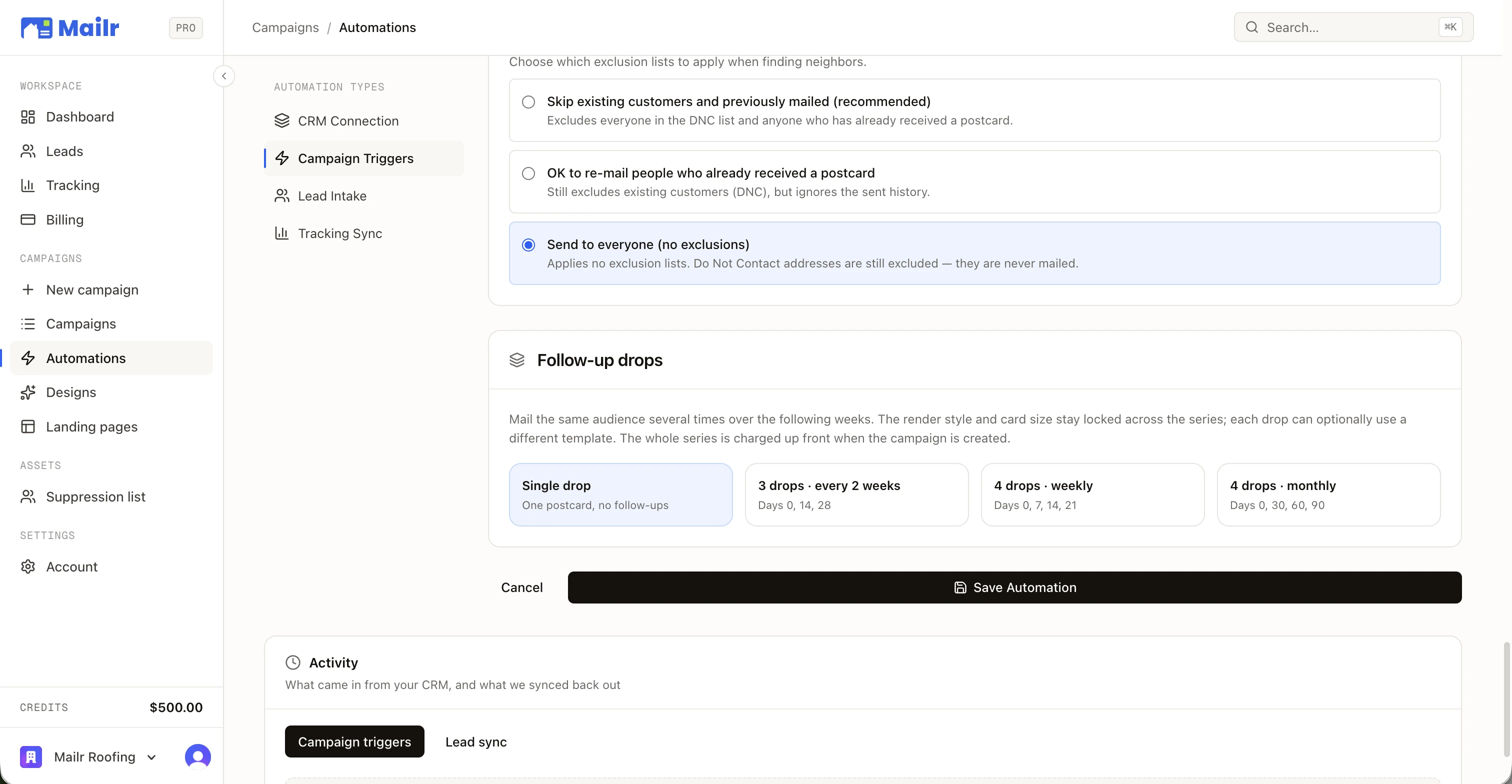
Mail the same audience several times over the following weeks. Pick the cadence once — the drops handle themselves.
One postcard, no follow-ups. The baseline.
DAY 0The classic mail cadence — three touches across a month.
DAYS 0 · 14 · 28A storm-season blitz: the neighborhood hears from you every week.
DAYS 0 · 7 · 14 · 21The long game — a quarter of presence from one decision.
DAYS 0 · 30 · 60 · 90Custom dates supported — up to 12 drops per campaignWorks identically on map campaigns and job triggers
PER-DROP CREATIVE
Every drop can sell differently. The series still reads as one campaign.
Each drop can use its own template, design, or landing page — a built-in A/B angle across the series. Render style and card size stay locked, so the series still reads as one campaign.
The whole series is charged up front when the campaign is created. One approval covers every drop — no monthly re-decisions.
Presets cover the common cadences; custom dates go up to twelve drops per campaign when the season calls for it.
WHO GETS MAILED AGAIN
The list keeps itself honest, drop after drop.
Excludes everyone on the Do-Not-Mail list and anyone who already received a postcard.
Still excludes existing customers and Do-Not-Mail — just ignores the sent history.
No exclusion lists applied. Do-Not-Mail addresses are still excluded — they are never mailed.
Do-Not-Mail is a hard line.
A single Do-Not-Mail list, honored everywhere — including pulling already-scheduled future drops back from the printer if an address is added mid-series.
- Customers auto-suppress the moment a deal closes in your CRM
- Mail cooldowns prevent re-mailing recently mailed homes
- Homeowner opt-outs are honored on every future drop
DELIVERY TRACKING
Every piece tracked to the mailbox.
- Per-piece USPS delivery status, visible in the dashboard
- Undeliverable pieces are refunded automatically
- Mail is printed next day — USPS owns the delivery date, so we never promise one
MAPLE HEIGHTS · 3 DROPS · PIECE STATUS
DROP 1 · MAILED AUG 3DELIVERED
DROP 1 · MAILED AUG 3DELIVERED
DROP 2 · MAILED AUG 17IN TRANSIT
DROP 2 · MAILED AUG 17PRINTED
DROP 1 · UNDELIVERABLEREFUNDED
Illustrative statuses — the live dashboard tracks every piece per drop.

THE PART WHERE YOU START
Their Home.
Your Work.
Connect your CRM, pick a neighborhood, and put a 1-of-1 card in every mailbox that matters. First campaign out the door in an afternoon.
No contracts · No minimums · $1.30 a card